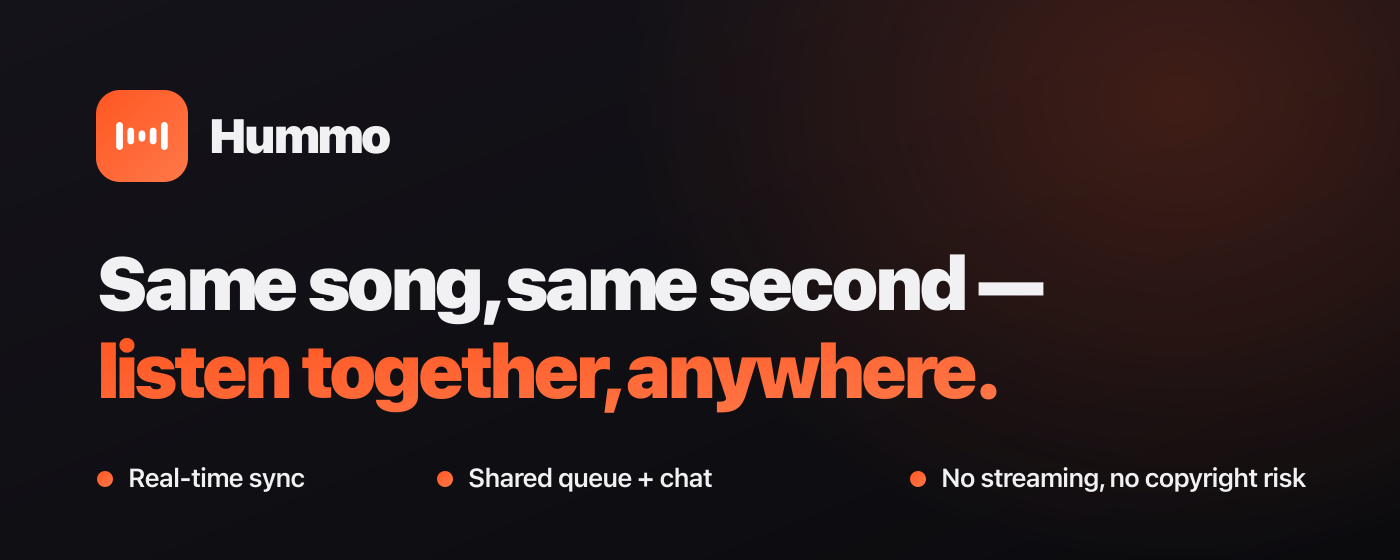
What I built — Hummo. A Chrome extension that lets you listen to YouTube Music with friends at the same second. One person hosts; everyone else's player follows — same track, same position, play and pause together, in real time. There's a shared queue, in-room chat, public rooms you can browse in your own language, one-way follows, and a subscription gate past three people. It's live on the Chrome Web Store.
Install Hummo — Chrome Web Store →
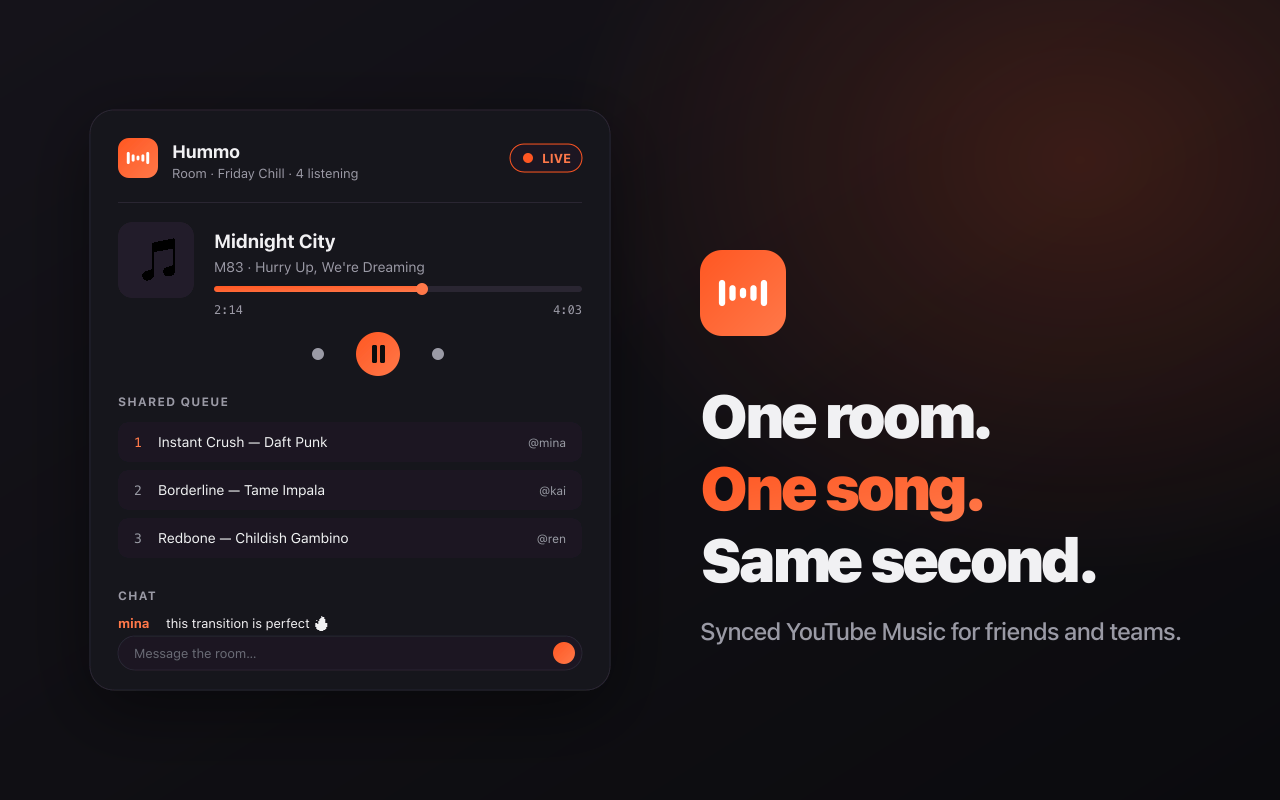
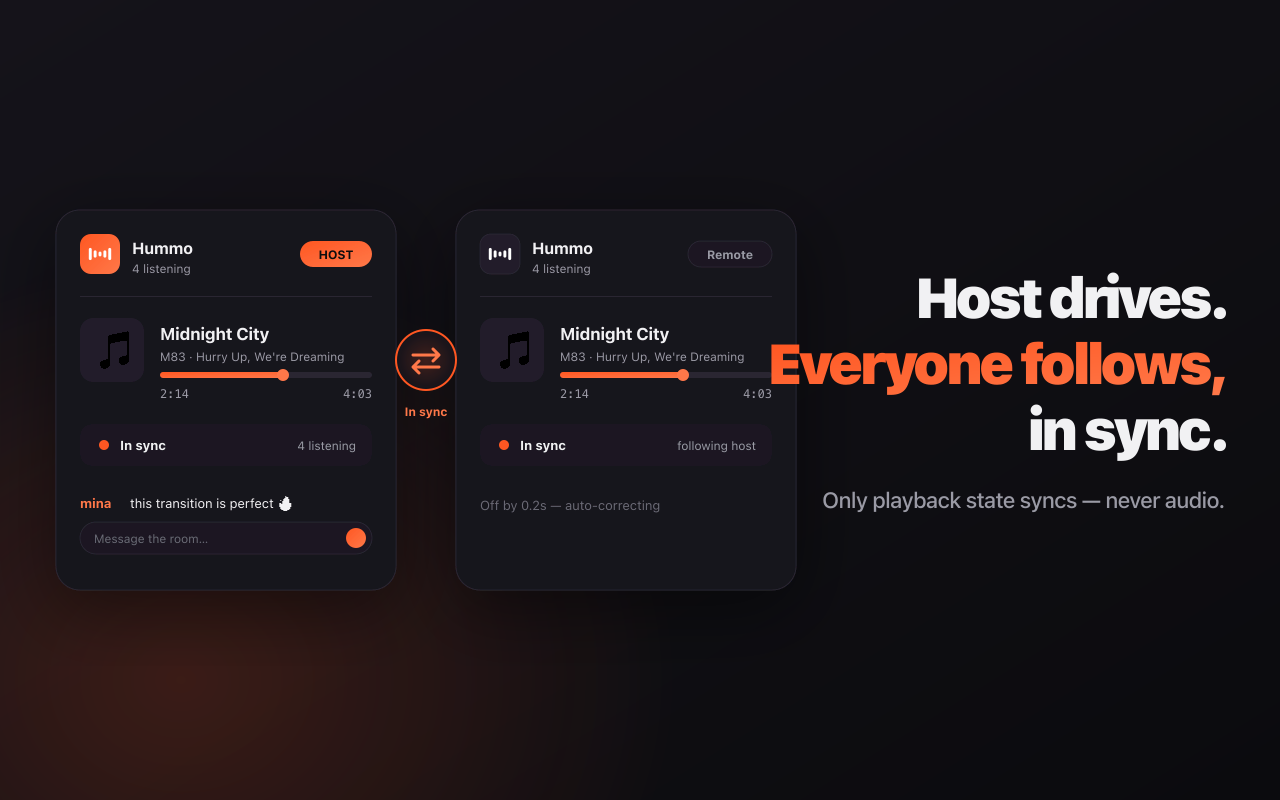
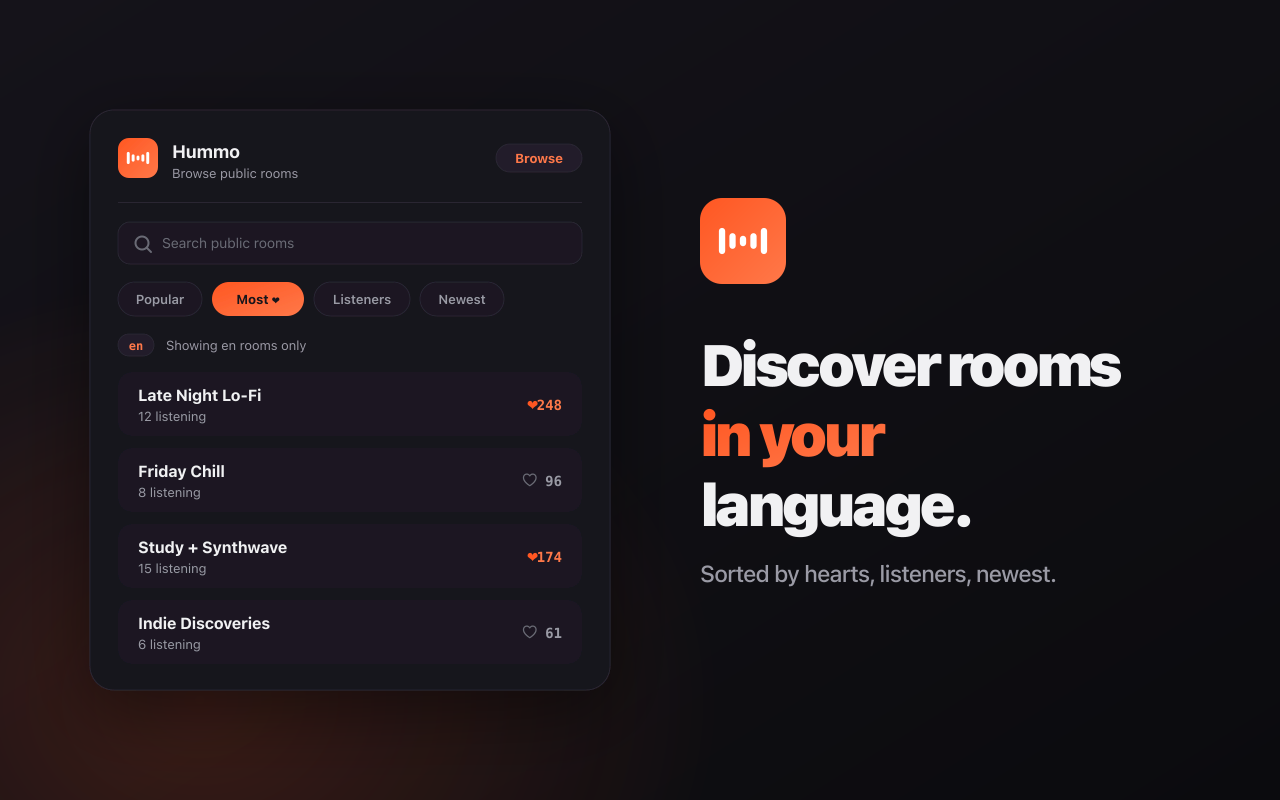
Now — here's how it actually got built.
Let me be honest up front: I barely wrote a line of this extension's code. What I actually did was — I found an extension I liked, told Claude "I want this feature, how do I build it?", and QA'd whatever came back. A few days later it was live on the Chrome Web Store.
Most build-in-public posts get cleaned up into "here's how I built it." Mine wasn't that tidy. So this post is the real division of labor, told as what I asked for (🗣️) → what Claude did (🤖), warts and all.
The thing I made is Hummo — listen to YouTube Music with friends at the same second.
📋 This post is a build kit. Paste the whole thing into your Claude (Claude Code) and say "build this" — it can recreate the same extension. Most of it is just structure described in plain language; Claude implements from that. Only the parts Claude can't guess — YouTube Music's private player/DOM, the event protocol — are pasted as actual code.
Part 0 — What I saw, and what I wanted to build
One day I came across ListenTogether — an extension that lets friends listen to YouTube Music together. "That's cool. But I want to rebuild it my way, with my own features." That was the whole starting point.
What I had wasn't code — it was a wishlist:
- Friends hearing the same song at the same second (real-time sync)
- Create a room, share it by code, chat inside it, a shared queue
- Subscription gate past 3 people; free up to 3
- Browse public rooms — but isolated by language (you only see rooms in your own language)
- ❤️ hearts on rooms + sort by popularity
- One-way follow + a ping when someone you follow opens a room
- "Add this page's songs" to the queue, right from YouTube Music
- Reach it from the toolbar icon anywhere, not just on the page
How to actually build any of this — real-time sync, copyright, service workers — I had no idea. That's what Claude was for. The result is called Hummo.
Contents
- The core idea + the realtime server
- The extension core — player control, session, service worker
- UI & languages
- Infrastructure — Claude recommended lavela
- Name, logo, site & Chrome Web Store launch
1. The core idea + the realtime server
This is where it started. What I wanted to build was a "listen to the same song at the same second with your friends" extension — and the first thing that had to exist wasn't the UI you see on screen, it was the shared protocol and the realtime server sitting underneath it. The extension (the client) ultimately hangs off those two things, so Claude built it in order: skeleton → shared types → server. I don't write code, so all I threw out was the what. The how was entirely Claude's call.
Sync the state, not the audio (this one was Claude's idea)
🗣️ What I asked for
"it'd be cool if, when someone allows it, you could discover other people's rooms and drop in. (…) design this whole thing properly."
I never told Claude "sync the state, not the audio." I just tossed out "design a listen-together app properly" like above — and how to sync was the core decision Claude made.
🤖 What Claude did Honestly, this wasn't something I asked for — Claude derived it from the goal. I only said "let people listen together," and Claude pushed back: "streaming the actual audio around turns copyright and bandwidth into hell." So it flipped the direction. Instead, only the playback state gets synced — track ID, position (in seconds), play/pause, and a timestamp. Those four values are all the server carries. Each client plays its own YouTube Music locally in its own browser, and lines its position up against the server's authoritative state: "this track, at this position, currently playing." Not a single byte of audio crosses the wire. This one decision dodges the copyright problem entirely, drops bandwidth to a few dozen bytes per song, and makes even a 100-person room basically free to run. It's the reason a weekend build was even possible. And this — what we sync — became the contract (the protocol) for the next step.
The shared protocol (the contract the extension and server both read)
🗣️ What I asked for
"it's youtube music — go through it carefully for me. and sketch out what the end result actually looks like."
I didn't spec out a "shared protocol." I just said something like "review it carefully and design it well," and the realization that "if the extension and the server drift apart, sync breaks" — plus the single contract file that prevents it — was the foundation Claude inevitably had to lay during that review.
🤖 What Claude did
Claude built a single file that the extension and the server both import — one source of truth. The key decision is this: the host uploads just three values from its own player, { trackId, positionSec, playing } (HostState), and the server stamps it with serverTs (send time, ms) on its own clock and broadcasts it to the whole room as a SyncPacket. The server clock is the only truth, so a guest can't argue about position. On top of that, every event (room / queue / chat / friends / follow / discovery / payments) had its payload and ack signature pinned down as types — get one character of an event name or a single field wrong and both sides still compile while sync quietly breaks at runtime. Enforce it with types and that entire class of bug dies at compile time. Domain constants like the free cap FREE_ROOM_CAPACITY = 3 and "remote mode" (remote = receive the sync but stay silent) live here too.
/** * Realtime protocol shared between extension and server (single source of truth). * Both server and extension import this from @lt/shared. */ export interface Participant { id: string; name: string; isHost: boolean; remote: boolean; // remote mode (stays in sync but plays no audio) } export interface QueueItem { trackId: string; title: string; artist: string; by: string; // name of the participant who added it thumb?: string; // album thumbnail URL (if available) } export interface ChatMessage { name: string; text: string; ts: number; // server time (ms) } /** Queue-control permission mode (per room). Default open = keeps the current frictionless behavior */ export type QueuePerm = "host-only" | "propose" | "open"; /** Track suggestion submitted by a guest in propose mode (host accepts/rejects) */ export interface Proposal { id: string; item: QueueItem; byId: string; byName: string; ts: number; } /** Authoritative playback state sent by the host (position based on host clock) */ export interface HostState { trackId: string; positionSec: number; playing: boolean; } /** Sync packet the server broadcasts to everyone in the room. serverTs = send time based on the server clock (ms). */ export interface SyncPacket extends HostState { serverTs: number; } export interface RoomSnapshot { code: string; title: string; hostId: string; participants: Participant[]; queue: QueueItem[]; chat: ChatMessage[]; queuePerm: QueuePerm; proposals: Proposal[]; isPublic: boolean; tags: string[]; hostPro: boolean; // whether the host is subscribed (if false, capacity is 2) sync: SyncPacket | null; } /** client → server event payloads */ export interface ClientToServer { "room:create": (p: { title: string; name: string; queuePerm?: QueuePerm; isPublic?: boolean; tags?: string[]; lang?: string }, ack: (r: { code: string; selfId: string; snapshot: RoomSnapshot }) => void) => void; "room:join": (p: { code: string; name: string }, ack: (r: { ok: boolean; selfId?: string; isHost?: boolean; snapshot?: RoomSnapshot; error?: string }) => void) => void; "room:leave": (p: Record<string, never>, ack: (r: { ok: boolean }) => void) => void; // leave room (SW socket doesn't disconnect, so an explicit event is required) "room:close": (p: Record<string, never>, ack: (r: { ok: boolean; error?: string }) => void) => void; // host disbands the room "host:state": (p: HostState) => void; "queue:add": (p: QueueItem) => void; "queue:addMany": (p: { items: QueueItem[] }) => void; "queue:remove": (p: { trackId: string }) => void; "queue:reorder": (p: { order: string[] }) => void; "queue:clear": () => void; "chat:send": (p: { text: string }) => void; "presence:remote": (p: { remote: boolean }) => void; "presence:rename": (p: { name: string }, ack: (r: { ok: boolean; name?: string; error?: string }) => void) => void; "perm:set": (p: { queuePerm: QueuePerm }) => void; "queue:propose": (p: { item: QueueItem }) => void; "queue:approve": (p: { id: string }) => void; "queue:reject": (p: { id: string }) => void; // P2 discovery "room:setPublic": (p: { isPublic: boolean; tags?: string[] }, ack: (r: { ok: boolean; isPublic: boolean; error?: string }) => void) => void; "discover:list": (p: DirectoryQuery, ack: (r: { rooms: PublicRoomCard[]; seeded: boolean }) => void) => void; "discover:report": (p: { code: string; reason?: "spam" | "nsfw" | "other" }, ack: (r: { ok: boolean }) => void) => void; "room:heart": (p: { code: string }, ack: (r: { ok: boolean; hearted?: boolean; hearts?: number; error?: string }) => void) => void; // One-way follow (favorites) — separate from friends. When a followed user opens a room, you get notified. "follow:add": (p: { code: string }, ack: (r: { ok: boolean; error?: string }) => void) => void; "follow:remove": (p: { userId: string }, ack: (r: { ok: boolean }) => void) => void; "follow:list": (p: Record<string, never>, ack: (r: { following: FollowInfo[] }) => void) => void; // P3 accounts (full email/password accounts) "auth:signup": (p: { email: string; password: string; name: string }, ack: (r: AuthResult) => void) => void; "auth:login": (p: { email: string; password: string }, ack: (r: AuthResult) => void) => void; "auth:token": (p: { token: string }, ack: (r: AuthResult) => void) => void; "auth:logout": (p: { token: string }, ack: (r: { ok: boolean }) => void) => void; // Subscription (rooms with 3+ people). billing:checkout = lavela checkout URL (when configured); the demo upgrades to pro immediately "billing:checkout": (p: Record<string, never>, ack: (r: { ok: boolean; url?: string; plan?: "free" | "pro" }) => void) => void; // Optimistic upgrade after a real Stripe payment (ADR 003: no payment webhook → user self-confirms) "billing:confirm": (p: Record<string, never>, ack: (r: { ok: boolean; plan?: "free" | "pro" }) => void) => void; "billing:cancel": (p: Record<string, never>, ack: (r: { ok: boolean }) => void) => void; "friends:list": (p: Record<string, never>, ack: (r: { friends: FriendInfo[]; incoming: FriendRequestInfo[] }) => void) => void; "friends:request": (p: { code: string }, ack: (r: { ok: boolean; error?: string }) => void) => void; "friends:respond": (p: { requestId: string; accept: boolean }, ack: (r: { ok: boolean }) => void) => void; "friends:remove": (p: { userId: string }, ack: (r: { ok: boolean }) => void) => void; "room:invite": (p: { friendId: string }, ack: (r: { ok: boolean; error?: string }) => void) => void; "time:ping": (p: { t0: number }, ack: (r: { t0: number; tServer: number }) => void) => void; } /** server → client event payloads */ export interface ServerToClient { sync: (p: SyncPacket) => void; "queue:update": (p: { queue: QueueItem[] }) => void; presence: (p: { participants: Participant[]; hostId: string }) => void; "chat:msg": (p: ChatMessage) => void; "host:changed": (p: { hostId: string }) => void; "perm:update": (p: { queuePerm: QueuePerm }) => void; "proposal:update": (p: { proposals: Proposal[] }) => void; "queue:denied": (p: { action: string; reason: "perm" }) => void; "room:meta": (p: { isPublic: boolean; tags: string[] }) => void; "friends:changed": (p: Record<string, never>) => void; // friend/request/presence change → client re-fetches friends:list "follow:changed": (p: Record<string, never>) => void; // following list/presence change → re-fetch follow:list "follow:roomOpened": (p: { userId: string; name: string; code: string; title: string }) => void; // a followed user opened a room → badge notification "billing:updated": (p: { plan: "free" | "pro" }) => void; "room:invited": (p: { code: string; fromName: string; title: string }) => void; "room:closed": (p: { reason: string }) => void; } /** Free-plan room capacity (free up to 3 people; payment gate kicks in at the 4th) */ export const FREE_ROOM_CAPACITY = 3; // ── P2: public room discovery ── export interface PublicRoomCard { code: string; title: string; listeners: number; nowPlaying: { title: string; artist: string } | null; coverIds: string[]; // album-art trackIds for the cover (up to 4, 2x2 collage) tags: string[]; hostPro: boolean; // whether the host is subscribed (if false, limited to 2 people) hearts: number; // ❤️ number of likes (tied to the live room) heartedByMe: boolean; // whether the requesting user has hearted it createdAt: number; } export interface DirectoryQuery { q?: string; sort?: "active" | "new" | "hearts"; lang?: string; // requesting user's UI language (en/ko/ja) — only show rooms created in the same language } // ── P3: accounts/friends ── export interface FriendInfo { userId: string; name: string; online: boolean; roomCode: string | null; // room currently joined (if any, enables one-tap join) roomTitle: string | null; } export interface FriendRequestInfo { id: string; fromName: string; } /** One-way follow target info (same shape as FriendInfo, includes presence) */ export interface FollowInfo { userId: string; name: string; online: boolean; roomCode: string | null; roomTitle: string | null; } export interface AuthResult { ok: boolean; error?: string; userId?: string; friendCode?: string; name?: string; plan?: "free" | "pro"; token?: string; // session token (saved to localStorage → reconnect / login on another device) }
Drift correction (small misalignments get ignored on purpose)
🗣️ What I asked for
"it's youtube music — go through it carefully for me. and sketch out what the end result actually looks like."
Drift correction wasn't something I asked for either. I only said "carefully review and design a demo where people listen to the same song together," and the problem — "everyone's clock and network latency is different, so left alone they fall behind" — along with the correction logic was Claude's, because that's what implementing the goal required.
🤖 What Claude did
Sync the state alone and one problem remains: every client's clock is different and network latency varies, so if you use "the position the server sent" verbatim, the later you receive it the further behind you fall. Claude patched this with an NTP-lite approach. A time:ping/ack round-trip estimates the server clock offset (offset = server clock − client clock), and the decisive part is this: after collecting several samples, it doesn't average them — it adopts the offset from the sample with the lowest RTT (i.e. the most trustworthy one). That's the min-RTT sample. It makes the whole thing robust to jitter. Playback position is then computed as expectedPosition = the packet's position + the elapsed time since it was sent (server-now − serverTs), only when playing, clamped against going negative. And finally, the most important decision for protecting how it actually feels to listen: it only seeks to correct when drift exceeds the 1.5s threshold (DRIFT_THRESHOLD_SEC). Seeking every time you're off by 0.2s would chop the song up and ruin it, so small drift is deliberately let slide. This logic is a pure function with zero DOM or socket dependencies, so it's verified with unit tests.
The realtime server (rooms, authority, and the payment gate)
🗣️ What I asked for
"okay so if you want to share with more than 3 people you should have to subscribe, and a room made by someone who hasn't subscribed should show the people cap." "the free tier should be 3 people, not 2." "wait, there's no way to close a room, now that I think about it." / "and closing a room — only the host should be able to do that."
The invariants here — "authority comes from the host only," "one room per user" — weren't things I asked for. They're what Claude laid down to implement that payment gate and room-closing safely.
🤖 What Claude did
Claude wrote the realtime backend on Socket.IO and nailed down a few invariants. First, authority comes only from the host — setHostState accepts only state sent by the host (anyone else sends it, ignored), stamps it with the server clock serverTs, and makes that the authoritative packet. That's why a guest can't argue about position. Second, one room per user — before joining a new room you're automatically made to leave your old one, so a single socket can't be in two rooms at once. Third, the payment gate I asked for — if the host is PRO the room is unlimited, otherwise it caps at the free limit of 3 and nudges toward payment from the 4th person on (hitting that cap is the PRO conversion moment). Fourth, "close room" was made host-only, and closing it broadcasts room:closed to everyone in the room and then deletes it immediately.
There was one nasty trap Claude caught here: the extension's service-worker socket doesn't disconnect when you close the tab. So if you rely on the disconnect event alone, someone who left lingers in the room as a ghost participant. Claude added a separate event so the client explicitly fires room:leave and the server removes them at once. And finally, passwords aren't stored as plaintext or a simple hash — they're verified with scrypt (per-user random salt) + timingSafeEqual (to shut down timing attacks).
🧪 What I caught (QA)
"I hit sign up and couldn't even tell if it worked — and there's no email/nickname check either, right?"
I found this in real use after launch. Sign-up validation (the email/nickname duplicate check) was missing — Claude tracked it down and patched it right away.
2. Extension Core — Player Control, Sessions, the Service Worker
This stage wasn't about buttons you can see on screen. It was the invisible plumbing that makes the extension possible at all: a bridge to drive YouTube Music's private player, a realtime session that ties the socket and the clock together, and a service worker to hold that session in one place. I didn't even know these words — I just said "I want it to work like this," and the structure was Claude's call every time.
Make it reachable from the toolbar icon too (= an architecture refactor)
🗣️ What I asked for
"I want to be able to control it from the extension icon up top, not just in the page."
(The single-session-in-the-service-worker structure wasn't something I asked for — it's the ADR 004 design Claude derived once "control from the icon, anywhere" had to actually work.)
🤖 What Claude did
Honestly, this one line forced a full structural teardown halfway through. At first the socket and room state lived in a panel inside the page. But once the popup (the toolbar icon) needed to attach to the same session, it stopped making sense — a popup gets destroyed the instant you close it, which kills song sync. Claude re-architected this as ADR 004. The key call: keep exactly one session (socket + sync loop + full state), hosted in the service worker, and make both the popup and the in-page panel thin views that attach to that session over a port. The popup side uses a relay (SessionProxy) that forwards method calls to the service worker, and the page side becomes a playback agent (RemoteAdapter) that pipes the playback commands the worker sends straight to the real player. Both implement the same SessionLike interface, so the session code plugs into two places without changing a single line. As a bonus: the service worker has no localStorage, so to keep the existing token/room-reading code alive, Claude pre-filled a memory cache from chrome.storage.local (key "lt") and laid a synchronous localStorage polyfill on top of it.
★ If you're rebuilding this, you don't have to live through that detour — just start from "the session is singly hosted in the service worker + the views are thin clients attached over a port" from day one. Invariants: exactly one session instance; the popup/panel never hold state directly, they only observe it through the port; and to survive a service-worker cold start, port handlers await the session-ready promise before doing anything.
Controlling the YouTube Music player (★ no way to guess this)
🗣️ What I asked for
This one I never asked for. I never handed over a spec like "give me play/pause/seek controls" — it's the part where, to make the higher-level goal of "listen to the same song at the same second as a friend" actually work, Claude inevitably had to drive the player.
🤖 What Claude did
Playback control only works through the private methods on the object that document.getElementById("movie_player") returns (playVideo, pauseVideo, seekTo, loadVideoById, getVideoData, and so on). The problem: a content script runs in an "isolated world" by default and can't touch that page object. So Claude injected a second script with world: "MAIN" declared in the manifest — that's the only code that runs in the page's own context. The isolated world and the MAIN world talk strictly over window.postMessage. The MAIN-world side works in two directions: (1) it receives {__lt:"cmd"} and drives the player, and (2) once a second it reads the current track / position / duration / playing-state and broadcasts it back to the isolated world as {__lt:"state"}. The getPlayerState() mapping (1 = playing, 2 = paused, 0 = ended) is how we decide a song has finished. These private API names and message shapes are exactly the kind of thing Claude would hallucinate if it guessed, so they stay as real code.
/** * MAIN world script (runs in the page context). * The content script (isolated world) cannot call YT Music's internal `movie_player` API. * Here we control/read the state of movie_player and communicate with the isolated world via postMessage. * * isolated → MAIN : { __lt:"cmd", cmd:"loadTrack|play|pause|seek", arg } * MAIN → isolated : { __lt:"state", state:{ trackId,title,artist,positionSec,playing } } */ interface MoviePlayer { loadVideoById(id: string): void; playVideo(): void; pauseVideo(): void; seekTo(seconds: number, allowSeekAhead?: boolean): void; getCurrentTime(): number; getDuration(): number; getPlayerState(): number; // 1=playing, 2=paused, 3=buffering, 5=cued, 0=ended getVideoData(): { video_id: string; title: string; author: string }; } function player(): MoviePlayer | null { return document.getElementById("movie_player") as unknown as MoviePlayer | null; } window.addEventListener("message", (e: MessageEvent) => { const d = e.data; if (e.source !== window || !d || d.__lt !== "cmd") return; const p = player(); if (!p) return; try { if (d.cmd === "loadTrack") p.loadVideoById(String(d.arg)); else if (d.cmd === "play") p.playVideo(); else if (d.cmd === "pause") p.pauseVideo(); else if (d.cmd === "seek") p.seekTo(Number(d.arg), true); } catch { /* player not ready yet, etc. — ignore */ } }); setInterval(() => { const p = player(); if (!p || typeof p.getVideoData !== "function") return; let data: { video_id: string; title: string; author: string }; try { data = p.getVideoData(); } catch { return; } if (!data?.video_id) return; window.postMessage( { __lt: "state", state: { trackId: data.video_id, title: data.title ?? "", artist: data.author ?? "", positionSec: p.getCurrentTime?.() ?? 0, durationSec: p.getDuration?.() ?? 0, playing: p.getPlayerState?.() === 1, ended: p.getPlayerState?.() === 0, }, }, "*", ); }, 1000);
Then I caged this YT Music dependency behind a single adapter. It caches the state the MAIN world sends every second so getState() can return synchronously and instantly, while play/pause/seek/loadTrack push commands out over postMessage. ★ One decisive trap: this module also gets pulled into the service-worker bundle (by way of the session engine), so you must never put window access at the top level of the module — keep all of it inside the createYtMusicAdapter() factory. Otherwise the service worker dies the moment it loads.
/** * ★ Adapter that isolates the YT Music dependency. * Actual playback control/state goes through the movie_player API in the MAIN world (main-world/index.ts). * This file, living in the isolated world, only communicates with the MAIN world via postMessage. * * - Reading state: cache the "state" message MAIN sends every second → getState() returns the cache (synchronous) * - Control: loadTrack/play/pause/seek → "cmd" message to MAIN */ export interface PlaybackState { trackId: string; title: string; artist: string; positionSec: number; durationSec: number; playing: boolean; ended: boolean; } export interface YtMusicAdapter { getState(): PlaybackState | null; play(): void; pause(): void; seek(sec: number): void; loadTrack(trackId: string): Promise<void>; onStateChange(cb: () => void): () => void; } // ⚠️ All window access (listeners/postMessage) must stay inside createYtMusicAdapter(). // Since this module is also included in the service worker bundle (via LtSession), touching window at the module top level breaks the SW load. (ADR 004) export function createYtMusicAdapter(): YtMusicAdapter { let latest: PlaybackState | null = null; const subscribers = new Set<() => void>(); window.addEventListener("message", (e: MessageEvent) => { const d = e.data; if (e.source !== window || !d || d.__lt !== "state") return; latest = d.state as PlaybackState; for (const fn of subscribers) fn(); }); const sendCmd = (cmd: string, arg?: unknown): void => { window.postMessage({ __lt: "cmd", cmd, arg }, "*"); }; return { getState: () => latest, play: () => sendCmd("play"), pause: () => sendCmd("pause"), seek: (sec: number) => sendCmd("seek", sec), loadTrack: async (trackId: string) => sendCmd("loadTrack", trackId), onStateChange: (cb: () => void) => { subscribers.add(cb); return () => subscribers.delete(cb); }, }; }
Bringing back "Add this page's songs"
🗣️ What I asked for
"There needs to be a button like the one in YouTube Music. When I click the extension icon up top, there shouldn't be an 'Add this page's songs.' But when I click the button inside YouTube Music, the same window should have 'Add this page's songs.'"
🤖 What Claude did
This shook out into two pieces. First, a scraper that grabs the track rows currently rendered on the page. ★ The trap: YT Music uses virtual scrolling, so only the rows on screen actually exist in the DOM — so it scrolls to the top, then auto-scrolls one screen at a time, accumulating into a Map, and stops when the count stops growing and it hits the bottom (4 stable counts in a row). It's deliberately a best-effort collection. Second, an injector that adds a "Add to Hummo queue" item into a song's "⋮" context menu. A MutationObserver slips the item in every time the Polymer menu (tp-yt-paper-listbox#items) appears, and the videoId is pulled from the link inside the menu. The title and artist aren't in the menu itself — so it intercepts pointerdown in the capture phase, remembers the original row whose ⋮ you clicked, and reads them from there. If there's no room, the item shows greyed out (disabled) and prompts "create or join a room first." These selectors are tightly bound to the live YT Music DOM and impossible to guess, so they stay as real code.
/** * Scrapes the track rows rendered on the current YT Music page (playlist/album, etc.). * ⚠️ YT Music uses virtual scrolling → only the rows loaded on screen are captured. Long lists must be scrolled to load more. * The full list (including unrendered rows) requires the InnerTube API — follow-up (M03). */ import type { QueueItem } from "@lt/shared"; export function scrapePageTracks(by: string): QueueItem[] { const rows = document.querySelectorAll("ytmusic-responsive-list-item-renderer"); const items: QueueItem[] = []; const seen = new Set<string>(); rows.forEach((row) => { const link = row.querySelector<HTMLAnchorElement>('a[href*="watch?v="]'); const id = link?.getAttribute("href")?.match(/[?&]v=([^&]+)/)?.[1]; if (!id || seen.has(id)) return; seen.add(id); const title = row.querySelector(".title")?.textContent?.trim() ?? ""; const artist = row.querySelector(".secondary-flex-columns yt-formatted-string")?.textContent?.trim() ?? ""; const thumb = row.querySelector("img")?.getAttribute("src") ?? ""; items.push({ trackId: id, title, artist, by, thumb }); }); return items; } const sleep = (ms: number) => new Promise<void>((r) => setTimeout(r, ms)); /** Best-guess for the YT Music main scroll container (the element the virtual list scrolls within) */ function findScroller(): HTMLElement { const cands = [ document.querySelector<HTMLElement>("ytmusic-app-layout #contentContainer"), document.querySelector<HTMLElement>("#contentContainer"), document.scrollingElement as HTMLElement | null, document.documentElement, ].filter(Boolean) as HTMLElement[]; return cands.find((el) => el.scrollHeight > el.clientHeight + 50) ?? document.documentElement; } /** * Auto-scrolls the page and collects all tracks (accumulating rows before the virtual scroll unmounts them). * It's not an exact "full" list (InnerTube is the proper way), but it captures most of even long lists. */ export async function scrapeAllPageTracks(by: string, onProgress?: (n: number) => void): Promise<QueueItem[]> { const map = new Map<string, QueueItem>(); const collect = () => { for (const it of scrapePageTracks(by)) if (!map.has(it.trackId)) map.set(it.trackId, it); }; const el = findScroller(); // Start from the top in case of repeated runs (if a previous scrape left us at the bottom, the virtual list renders only some rows → too few / 0 captured) el.scrollTop = 0; window.scrollTo(0, 0); await sleep(250); let stable = 0; for (let i = 0; i < 300 && stable < 4; i++) { const before = map.size; collect(); onProgress?.(map.size); const top = el.scrollTop; const step = Math.max(700, el.clientHeight * 0.85); el.scrollTop = top + step; window.scrollBy(0, step); await sleep(300); collect(); const atBottom = el.scrollTop + el.clientHeight >= el.scrollHeight - 8 || el.scrollTop === top; stable = map.size === before && atBottom ? stable + 1 : 0; } return [...map.values()]; }
/** * Injects an "Add to Hummo queue" item into the YT Music "⋮" context menu. * * Based on the actual DOM (verified on live YT Music, 2026-06-16): * menu = <tp-yt-paper-listbox id="items" class="...ytmusic-menu-popup-renderer"> * items = <tp-yt-paper-item> / <ytmusic-menu-service-item-renderer>, etc. * videoId = extracted from the menu's 'a[href*="watch?v="]' (e.g. "Start radio") * * ⚠️ title/artist aren't directly in the menu, so we read them best-effort from the * original list row that the ⋮ was clicked on. */ export interface MenuSong { trackId: string; title: string; artist: string; thumb: string; } const LISTBOX = "tp-yt-paper-listbox#items.ytmusic-menu-popup-renderer"; const ITEM_FLAG = "data-lt-item"; interface InjectorOpts { hasRoom: () => boolean; onAdd: (song: MenuSong) => void; } export function installMenuInjector(opts: InjectorOpts): () => void { // Remember the original row the ⋮ was clicked on (source of title/artist). Captured in the capture phase. let lastRow: Element | null = null; const onPointerDown = (e: Event) => { const t = e.target as Element | null; const row = t?.closest?.( "ytmusic-responsive-list-item-renderer,ytmusic-list-item-renderer,ytmusic-player-queue-item,ytmusic-two-row-item-renderer", ); if (row) lastRow = row; }; document.addEventListener("pointerdown", onPointerDown, true); const observer = new MutationObserver(() => { document.querySelectorAll<HTMLElement>(LISTBOX).forEach((box) => injectInto(box, opts, () => lastRow)); }); observer.observe(document.documentElement, { childList: true, subtree: true }); return () => { document.removeEventListener("pointerdown", onPointerDown, true); observer.disconnect(); }; } function injectInto(listbox: HTMLElement, opts: InjectorOpts, getRow: () => Element | null): void { if (listbox.querySelector(`[${ITEM_FLAG}]`)) return; // already injected const song = extractSong(listbox, getRow()); const enabled = opts.hasRoom() && !!song; const item = document.createElement("tp-yt-paper-item"); item.setAttribute(ITEM_FLAG, "1"); item.setAttribute("role", "menuitem"); item.setAttribute("tabindex", "-1"); item.className = "style-scope ytmusic-menu-popup-renderer"; item.style.cssText = "display:flex;align-items:center;gap:16px;padding:0 16px;min-height:40px;box-sizing:border-box;" + `cursor:${enabled ? "pointer" : "default"};opacity:${enabled ? "1" : "0.4"}`; item.innerHTML = `<div style="width:18px;height:18px;flex-shrink:0;display:flex;align-items:center;justify-content:center">🎵</div>` + `<span style="font-size:14px;white-space:normal;overflow-wrap:break-word;min-width:0">${ enabled ? "Add to Hummo queue" : "Create or join a room first" }</span>`; if (enabled && song) { item.addEventListener("click", (e) => { e.stopPropagation(); opts.onAdd(song); // Close the menu (esc) document.dispatchEvent(new KeyboardEvent("keydown", { key: "Escape", bubbles: true })); }); } listbox.insertBefore(item, listbox.firstChild); } function extractSong(listbox: HTMLElement, row: Element | null): MenuSong | null { const link = listbox.querySelector<HTMLAnchorElement>('a[href*="watch?v="]'); const href = link?.getAttribute("href") ?? ""; const trackId = href.match(/[?&]v=([^&]+)/)?.[1] ?? ""; if (!trackId) return null; // title/artist are best-effort from the original row (TODO: refine selectors against live) const title = row?.querySelector(".title")?.textContent?.trim() ?? row?.querySelector("yt-formatted-string.title")?.textContent?.trim() ?? ""; const artist = row?.querySelector(".secondary-flex-columns yt-formatted-string")?.textContent?.trim() ?? row?.querySelector(".subtitle")?.textContent?.trim() ?? ""; const thumb = row?.querySelector("img")?.getAttribute("src") ?? ""; return { trackId, title, artist, thumb }; }
🧪 What I caught (QA)
"'Add this page's songs' is stuck at 0 songs collected."
Cause: the scrape request was doing a round trip through the service worker (agent → SW → agent), hitting a timeout, and the result never came back. Fix: the in-page panel has DOM access anyway, so I changed it to run scrapeAllPageTracks locally, right in the page, without going through the service worker.
"I'm getting Uncaught Error: Extension context invalidated."
Cause: when you reload the extension, the old content script lingers in a stale state and keeps trying to reconnect to a dead chrome.runtime. Fix: I added an if (!chrome.runtime?.id) return guard at both the initial connect and the reconnect path, so when the context is invalidated it stops reconnecting and cuts the error spam (refreshing the tab attaches a fresh script).
3. UI & Languages
This is the stretch where I built everything the user actually sees. The screen has to show up in two places — the popup (the toolbar icon) and an in-page panel inside YouTube Music — and the two had to look identical. So the screen code is a single thing, with Korean / Japanese / English dictionaries laid on top. Almost everything I decided here was about what to show — hearts and sorting, the one-way follow ping, a browse tab that only shows rooms in your own language, free up to 3, that kind of product call. And right at the end, the signup form felt so dead that I had it add instant validation and a loading state.
One screen, two homes: popup + in-page
🗣️ What I asked for
This one wasn't something I asked for. All I wanted was "an extension to listen to YouTube Music in sync with friends and teammates" — the fact that the same screen has to render in two places (popup and in-page) and still look identical was a design call Claude made while implementing that goal.
🤖 What Claude did
Instead of building the screen twice, Claude unified it into a single render function. One mountApp(root, session, opts) draws both the popup and the in-page panel, and the only thing that branches is whether opts.mode is "popup" or "page". Two key decisions. (1) This function doesn't hold a server connection itself — the session is injected from the outside. So the popup hands it a proxy that relays the service worker's session over messages, the in-page version hands it its own session, and the same screen renders on both sides. (2) The mode difference lives in exactly two spots — the "add this page's songs" button (the bulk scraper) only appears in-page (mode === "page"), and when a re-render is needed the popup just reloads the window while the in-page version never touches YouTube Music's DOM and only re-mounts the panel. The styling is a dark theme jammed into one big inline <style> block, no external CSS — background #0b0b0e, text #f1f1f3, accent in Hummo orange #ff5722, panel width 312px. The popup takes that same screen and just overrides it: hide the floating bubble, stretch the panel to fill the window. The file is over 1,000 lines and I deliberately didn't split it — every screen has to share the same state variables in one closure (screen, the tabs, the auth mode, etc.) and the same templates.
Hearts & sorting / one-way follow + badge ping / language-isolated browse
🗣️ What I asked for
"recommendations for each room? i want something where you can hit a heart. then you can sort by popular, by most people, that kind of thing. since there's chat, should there be alerts too? like when a user i've favorited makes a room, i get a ping." "i think browse should work differently depending on language setting too. only rooms made by users set to my language should show up in browse."
(Splitting one-way follow from mutual friends wasn't something I spelled out — it's the model Claude landed on while implementing "ping me when a user I follow makes a room.")
🤖 What Claude did Claude split the main screen into three tabs (Friends / Following / Browse).
- Hearts & sorting: the Browse tab carries a sort state (
browseSort) and toggles between most people (active), new rooms (new), and most hearts (hearts). You can heart any room, and that count becomes a sort key. - One-way follow + ping: friends are mutual and have to accept each other, but follow is one-way — you follow without their consent, and when they open a room you get a ping. The key decision was to surface that ping not as an in-screen list but as a badge number on the extension icon. Opening the popup (or looking again) marks it read and resets the badge.
- Language-isolated browse: the rooms in Browse aren't filtered client-side — the server only sends down rooms in the same language. A user set to Korean sees only rooms made by Korean users, Japanese sees only Japanese, and so on. To avoid the cold-start "there are no rooms in my language" feeling on a discovery screen, the empty state shows a per-language hint string (
langScope).
Polish passes
🗣️ What I asked for
"the buttons and clickable stuff feel kind of off — there's no animation at all. can you go through it carefully?" "right now shuffle just applies — can't you make it so hitting it again puts it back the way it was?" "there's no reason to have nickname settings and account logout in here. and when i hit save nickname there's no 'saved!' or anything, so i can't even tell if it worked. free should be up to 3 people."
🤖 What Claude did
Three fixes. (1) Interactions that looked dead got hover/active transitions added to the inline <style> so clicks actually feel like something — CSS only, no new components. (2) Shuffle became a toggle — the first press stashes the original queue order aside, and pressing again restores from that stash. The point was "put it back the way it was," not just re-shuffle every time, so it had to hold onto the original order. (3) The room-settings screen got tidied up: nickname/logout moved out of it (into main settings), and the free capacity got pinned at FREE_ROOM_CAPACITY = 3 — from the 4th person on, joining/creating hits a payment gate and a "free rooms are capped at 3" style message shows. That 3 is defined in exactly one place: server and UI both import the same constant.
Signup instant validation + loading (v0.1.1)
🤖 What Claude did This was the patch for the signup/login form giving zero feedback while it waited on a server round-trip. Two things went in.
- Instant validation: on submit, the client checks first before anything hits the server, and bails immediately if it doesn't pass. The order is fixed — ① if the email doesn't match the regex,
err_bad_email, ② if the password is under 4 characters,err_short_pw, ③ if it's a signup and the nickname is empty,err_no_nick. The email regex has to be character-for-character identical to the server's (/^[^\s@]+@[^\s@]+\.[^\s@]+$/) — you don't want the client to wave something through that the server then rejects. Email and nickname get trimmed; the password is taken as-is. - Loading + double-submit guard: an
authBusyflag guards it. Once validation passes, the button is locked to disabled and its label swaps to"…"before the request goes out. Thefinallyblock unconditionally clears the flag and restores the button's original label — on success, failure, or exception alike — because if that's missing, a form that fails once stays locked forever. On success it doesn't switch screens itself (when the session flips to logged-in, the app auto-routes to main).
🧪 What I caught (QA)
"i hit signup and i can't even tell if it went through, and it doesn't seem like there's any email/nickname check?" (found in real use after launch) The cause was the form just throwing everything at the server with no validation and no loading, in silence — the user couldn't even tell they'd clicked. Patched with the instant validation + loading state above (v0.1.1).
Shared i18n — one dictionary, two contexts
🤖 What Claude did
A lightweight i18n layer with nothing but en/ko/ja dictionaries and t("key", { n }) interpolation. No external library — it's just a key→string dictionary plus {param} substitution, and the UI only ever pulls strings through this t(). The server throws errors as codes only (err_room_full, err_email_taken, etc.) and the UI localizes the code — which is why even the server's error text all lives inside this dictionary. The real reason this layer exists is where the locale gets stored. The usual localStorage is partitioned per origin, so the popup (the extension's origin) and the in-page panel (youtube.com's origin) read different stores — which is exactly how the language split apart. Put the locale in chrome.storage.local (key lt:locale) and every context in the extension shares one value. Before mounting, that shared value has to be awaited so both sides come up in the same language, and when you change the language on one side a chrome.storage change event refreshes the other immediately (popup reloads, in-page re-mounts). The default is detected from the browser language, with an English fallback if the dictionary doesn't have it, and the old localStorage value gets migrated over exactly once.
🧪 What I caught (QA)
"the language in YouTube Music and the language in the toolbar popup seem different?" The cause was storing the locale in
localStorage— different origins meant the popup and the in-page panel were reading different stores. Fixed by moving the store tochrome.storage.localso both contexts share one value.
"when i make a room it suddenly jumps to the main screen — why?" The cause was holding the current screen (
screen) separately instead of deriving it from session state — every time the session view refreshed, the screen snapped back to its initial state. Changedscreento be derived from session state so that making a room keeps you on that room's screen.
4. Infrastructure — Claude recommended lavela
This part was about exactly one thing: where does the realtime server live, and how do I bolt on payments. It was the scariest part of the whole build. Where to run a WebSocket server, how to handle TLS, what the deploy pipeline even is — I knew none of it. And yet the only things I actually did here were two: sign up for a console, and paste one line to register an MCP server. Claude stood the rest up on its own. Compute came out to a few dollars a month, and I never once touched DevOps.
Standing up the infra — from connecting lavela to compute, hosting, and payments
🗣️ What I asked for
"okay, time to wire payments back in." / "let's get the realtime server up too."
That was the whole ask — "add payments, get the realtime server up, and make it easy." No precise infra spec, nothing like that. I had zero idea where or how to run a server; I just wanted it to be easy. That's where Claude recommended lavela. So everything below — the compute tier choice, scale-to-zero, optimistic confirm — none of that was me dictating it. It's the path Claude pieced together to make "just get it up, easily" actually happen.
🤖 What Claude did
What Claude recommended was lavela. The core idea is "replace DevOps wholesale" — instead of me running a server, you wire lavela into Claude Code as an MCP server, and from there Claude handles compute, hosting, and payments directly through tool calls.
So all I did was two things: sign up at the lavela console (https://console.lavela.dev), and run one line in the terminal.
npx @lavela/cli connect
Run it and a browser opens to lavela → log in (skip if you already are) → click "Authorize & connect". The CLI then writes the token straight into your Claude Code config — the token never shows up in the browser URL, your history, or the chat (that's the point, security-wise). Open a fresh Claude Code session and lavela auto-loads (if it's already open, /mcp → Reconnect), and from there a single "deploy my app with lavela" is all it takes.
Why a CLI at all? Claude Code's built-in
/mcpAuthenticate flow trips over a macOS localhost/IPv6 callback bug, so the CLI sidesteps it with its own 127.0.0.1 loopback.
The moment that connection is live, the mcp__lavela__* tools are callable right inside Claude, and from there Claude set everything up itself.
Here's the path Claude took and the calls it made:
- Starting point: it created a project with
create_projectand attached the returnedprojectIdto every call after that. Status checks always went throughget_status, which is read-only and free, so polling costs nothing. - Realtime server → compute (
provision_compute_from_repo): I pointed it at the repo, so lavela built the image from it server-side — no local Docker, no registry to juggle — and stood it up with TLS included, handing back a live HTTPS URL. Cost got checked before deploying viacompute_estimate(read-only, free) — ~$3.32/mo, the price you're actually billed, and with scale-to-zero an idle server is ≈ $0. A realtime server for a few bucks a month. Claude also flagged the gotchas: the deployed server has no local.env, so env vars get injected withset_compute_secret; and because the machine stops when idle (scale-to-zero / autostop), the first request hits a cold-start delay (if it's stuck,compute_lifecyclewakes it). - Static site → hosting (
provision_hosting): it pushed the landing and legal pages to a branded.lavela.devsubdomain with automatic TLS. No custom domain needed, just up and running. Refreshes go throughredeploy. - Payments → Stripe (
connect_stripe→create_checkout):connect_stripeissues an onboarding URL; finish KYC and it flips tocharges_enabled=true, thencreate_checkout(subscription, $2.99/mo) hands back a Stripe Checkout URL that gets dropped into the server asLT_CHECKOUT_URL. And the part that matters: lavela takes 0% of what Hummo earns — every $2.99 settles to me in full through Stripe Connect; lavela makes its money on the compute it runs, not on my sales. For confirming payment, we skipped the whole webhook infra and went with optimistic confirm (Checkout opens in a new tab, user hits "payment done," PRO gets applied) — a call made to fit the demo's timebox.
The Dockerfile itself was a slim container Claude wrote: build context set to the repo root, installing only @lt/server and its workspace dep (@lt/shared), skipping a build step and running straight via tsx. (The trap: narrow the context to server/ and the workspace dep breaks.) Either way, lavela built the image from it and shipped it — I ran one command and approved.
I deliberately didn't buy a domain. lavela doesn't sell domains; it only connects ones you already own (provision_domain), and for a demo the .lavela.dev subdomain was plenty, so I just used it. Annual domain cost: zero.
🧪 What I caught (QA)
"I redeployed but the site's still showing the old version."
The cause was a stuck branded-domain alias. Even after a redeploy, .lavela.dev kept pointing at the old deployment while only the raw URL served the new build. Claude tried cache-busting with ?cb=$(date +%s) on the URL and still got the old content → so it ruled out a CDN cache and narrowed it to the alias, confirming it via list_deployments, where current (the new hash) and the registered deployment's url (the old hash) didn't match. This is the kind that a client re-request won't move — the platform has to promote the latest deployment for it to clear — so once I reported it, it got unstuck (every redeploy after that refreshed normally in ~30s). It's a young platform, so there's the occasional sharp edge — but nothing close to "I run my own server."
5. Name, logo, site & Chrome Web Store launch
By this point everything worked — but the name was basically the competitor's name. My working title was "ListenTogether," which is letter-for-letter the product I'd been benchmarking (listentogether.now), so the whole thing just read like a clone. So this last stretch was about picking a new name, making a logo, generating the landing + legal pages and the store assets, and getting it submitted to the Chrome Web Store all the way to "in review." I barely touched the code on these days — it was all branding, assets, and compliance.
Rebranding (name & logo)
🗣️ What I asked for
"I don't want to copy the name. I want a new one — and a new logo too." "should we just go with a different name?"
All I did was toss out "let's stop copying the benchmark's name and come up with a new one, logo too." The 110 candidates, the whois lookups, the trademark searches, the multi-round process — that wasn't something I asked for. Claude derived it from the goal of "actually knock out names someone else is already using."
🤖 What Claude did Claude didn't try to nail the name in one shot — it ran the naming as multiple rounds of parallel agents. Across 3 rounds it generated ~110 candidates with parallel agents, then put each one through a triple filter: (1) domain availability (whois/RDAP lookups), (2) trademark search, (3) global pronounceability (how it reads in English and non-English markets). That was the key decision: the point wasn't to pick a "pretty name," it was to eliminate names someone is already using. Things that actually got knocked out — Tempa (a well-known dubstep label), Synca (a massage-chair brand in 60 countries), Curo (Australian signage + a US finance company), Choira (an already-existing real-time music collaboration app), Soneo (a podcast app), Unira (a medical app already in the app stores). The lesson here: short, pretty names are almost all taken on .com/.app, and they collide on trademarks too. The survivor was Hummo (hum = the most universal, language-agnostic way of "doing" music). The logo is an orange-gradient tile + a white five-bar equalizer, where the equalizer bars curve into a U so it reads as both a smile and a soundwave — the idea being "the sound of humming together turns into a smile." In the end I didn't buy a custom domain at all — I just used the lavela subdomain as-is.
Site & assets
🗣️ What I asked for
"make one clean site, plus the images for the extension listing — icon, screenshots, promo tiles." "wait — I don't think the terms/legal pages are multi-language? can you go through it carefully and check whether anything's missing on the site?"
My ask was about that loose — "make a clean site and the listing images" (I also handed Claude one site I'd always thought looked good, as a reference), and then after a first look, "the terms don't seem multi-language, can you go through it carefully." The language picker, the non-affiliation notice, the 7-dimension audit, the parallel asset generation — those specifics were Claude unpacking that vague "go through it carefully," not me writing a spec.
🤖 What Claude did The landing got built as a dark/accent marketing page (Claude borrowed the structure from a marketing site I'd shown it as a reference), with three legal pages (privacy / terms / support) attached. One key decision: it made the legal pages multilingual — en/ko/ja with a language picker. The reasoning was clear — a Chrome Web Store reviewer is likely English-speaking, and if your legal pages are pinned to one language, that's an instant wall. It also dropped a non-affiliation notice into the footer ("not affiliated with YouTube/Google") to pre-empt any copyright or affiliation confusion. The store assets were generated in parallel by agents, all under the same design system at once — a 128×128 icon, five 1280×800 screenshots, a small 440×280 promo tile, a 1400×560 marquee, a 1200×630 OG image. Designed as SVG, rendered to PNG. Right before submission it ran a 7-dimension audit (also via parallel agents) that adversarially checked axes like legal, multilingual coverage, CTAs, accessibility (WCAG), SEO, and the non-affiliation notice, and surfaced the problems automatically.
🧪 What I caught (QA)
Honestly, the bugs at this stage were caught by the audit agent on my behalf. The audit flagged (as a blocker) that "the landing's contact email has no MX record, so mail bounces," and at the same time caught that "every install CTA points at a dead #install anchor" and that "the three legal pages are pinned to Korean, which is a wall for an English-speaking reviewer" → all fixed. The store PNGs were another one: sharp had exported them as RGBA (with an alpha channel), but the Web Store wants 24-bit with no alpha, so we flattened to strip the alpha just before it would've been rejected — except the icon, which is supposed to be transparent, so that one was excluded from the flatten.
Web Store submission
🗣️ What I asked for
"let's just get it submitted first. walk me through how."
All I said was "let's submit first, walk me through how." Trimming the permissions down to storage + alarms, narrowing host permissions to the single music.youtube.com, and pinning the single purpose to "only syncs playback state" — that wasn't something I asked for. It fell out inevitably from this app's top-level design that "we never send audio, we only sync state," which Claude just followed through on.
🤖 What Claude did
The whole point of the submission was to pre-empt the #1 rejection reasons: "permission overreach" and "copyright suspicion." So it cut the manifest permissions to the minimum — only storage and alarms, and just one host permission, music.youtube.com (broad permissions like <all_urls>, tabs, scripting were all left out). In the privacy tab it spelled out the single purpose as "only syncs playback state; does not stream, record, or redistribute audio" to defuse the copyright concern up front, and remote code was "No" (static bundle only, no eval, no external scripts). The privacy URL got checked to make sure it returned a live 200 before submitting. The build came out of pnpm --filter @lt/extension build, and when zipping it I made sure manifest.json sits at the root of the zip (if you zip the whole dist folder it nests one level deeper and gets rejected). There were a lot of form fields, so I got the concrete values as a table with a single line — "Claude: make me a submission checklist" — and just filled them in.
After launch
The launch itself went through fine (store live: chromewebstore.google.com/detail/hummo/naepcidlgdlddijiglpelaigimblcida), with exactly one moment that made me jump. After publishing, the extension in my own browser stalled with a dialog saying it "needs more permissions." My stomach dropped — but it turned out to be a one-time prompt that asks you to re-approve host permissions on an update, and it doesn't show up for new installs at all. To ship an update you just bump manifest.version and upload a new zip, and — as long as you don't add any new permissions — it updates silently for existing users with no re-approval prompt.
The end — I wasn't the engineer
My role in this was clear: decide what to build, catch what's broken (QA), and steer with taste. Claude did the engineering.
So "AI built my app" is only half true. AI took implementation. But what to build, what's wrong, and when to stop was still on me. The wall isn't implementation anymore — it's judgment and taste. That's a much better wall to be stuck behind.
If you want to listen to something with someone right now, install Hummo. Same song, same second.
And — try pasting this whole post into your own Claude. You might end up with your own extension.
Comments
No comments yet — start the conversation.